Overview
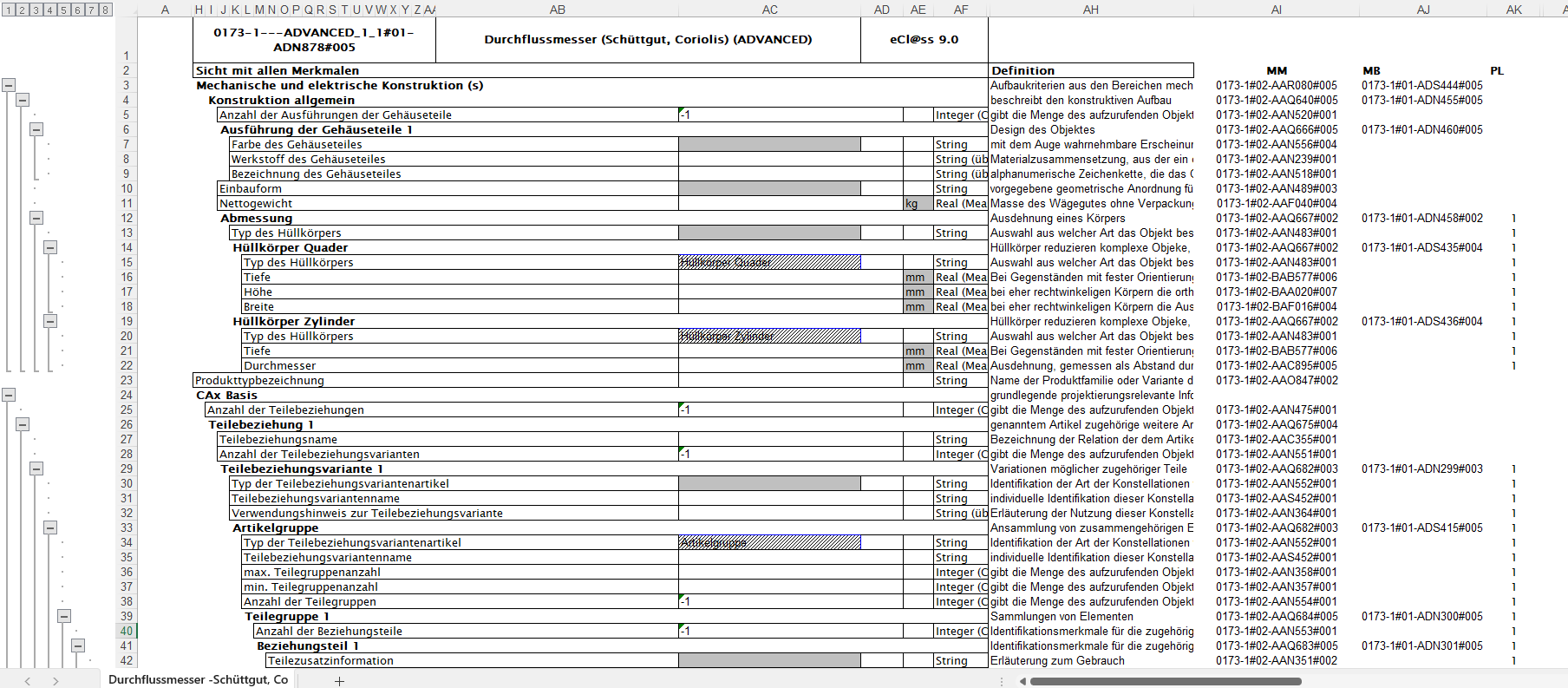
This section contains the file format specification of the Spec Sheet Excel.
/*<![CDATA[*/ div.rbtoc1770892091990 {padding: 0px;} div.rbtoc1770892091990 ul {list-style: disc;margin-left: 0px;} div.rbtoc1770892091990 li {margin-left: 0px;padding-left: 0px;} /*]]>*/ Overview Overall conventions Header Section Body Section (lines 3-n) Structure for properties of type Reference Structure for properties with value list attached Structure for measure properties Structure for property having fixed value Looping properties treatment Code Section Example
Overall conventions
The generated zip file will be named "Spec_sheet_xls_export.zip".
The included files will keep the name of the object that is exported, and they will not contain any special characters.
The following characters are accepted in the filename (all the other being stripped out):
-
a-z
-
A-Z
-
0-9
-
_
-
.
The file sections described in current FFS are:
-
Header section (first two rows)
-
Specification section (3rd row onwards) containing Properties and their detailing via value, unit, etc.
The Spec Sheet Excel file will have the following basic structure:
-
HEADER SECTION: details on the application class
-
BODY SECTION: list of properties defining respective product, their values, units
Header Section
Example header section 1st row:
|
Column |
Standard Mode |
Mapping Mode |
|
H-AA |
<IRDI of the Application Class> |
<IRDI of the Application Class> |
|
AB-AD |
<Name of the Application Class> |
<Name of the Application Class> |
|
AD-AF |
<Release> |
<Release> |
Example 2nd row (headlines):
|
Column |
Standard Mode |
|
|
|
EN |
DE |
|
A- G |
HIDDEN |
|
|
H - AF |
View of the equipment with all properties |
Sicht mit allen Merkmalen |
|
AG |
HIDDEN |
HIDDEN |
|
AH |
Definition |
Definition |
|
AI |
MM |
|
|
AJ |
MB |
|
|
AK |
PL |
|
Example

Body Section (lines 3-n)
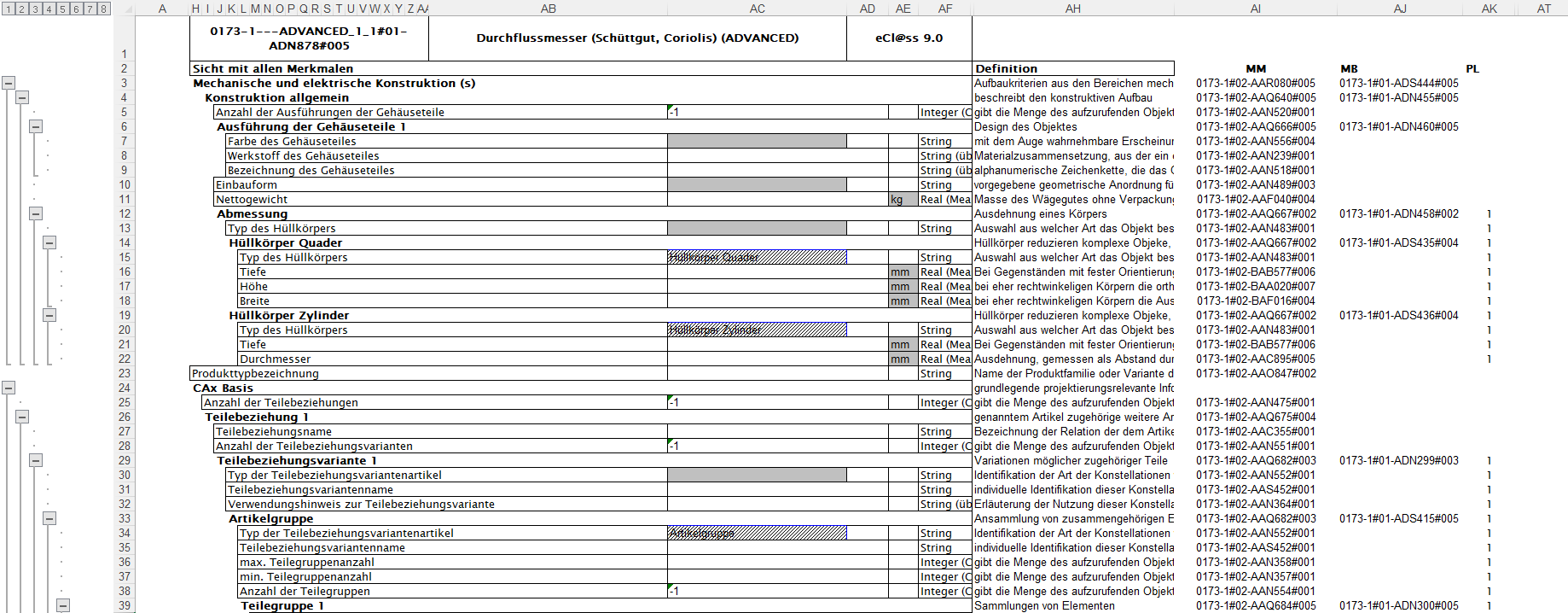
The body section of the Spec Sheet Excel File will include the following:
|
Column |
Standard Mode |
|
|
Content of column |
|
A |
|
|
B - F |
HIDDEN |
|
H-AB |
Property Name |
|
AC |
Value |
|
AD |
EMPTY |
|
AE |
Unit |
|
AF |
Property Datatype |
|
AG |
HIDDEN |
|
AH |
Definition of structure element |
|
AI |
IRDI of Property |
|
AJ |
IRDI of Block |
|
AK |
Information related to cardinality |
Example
Structure for properties of type Reference
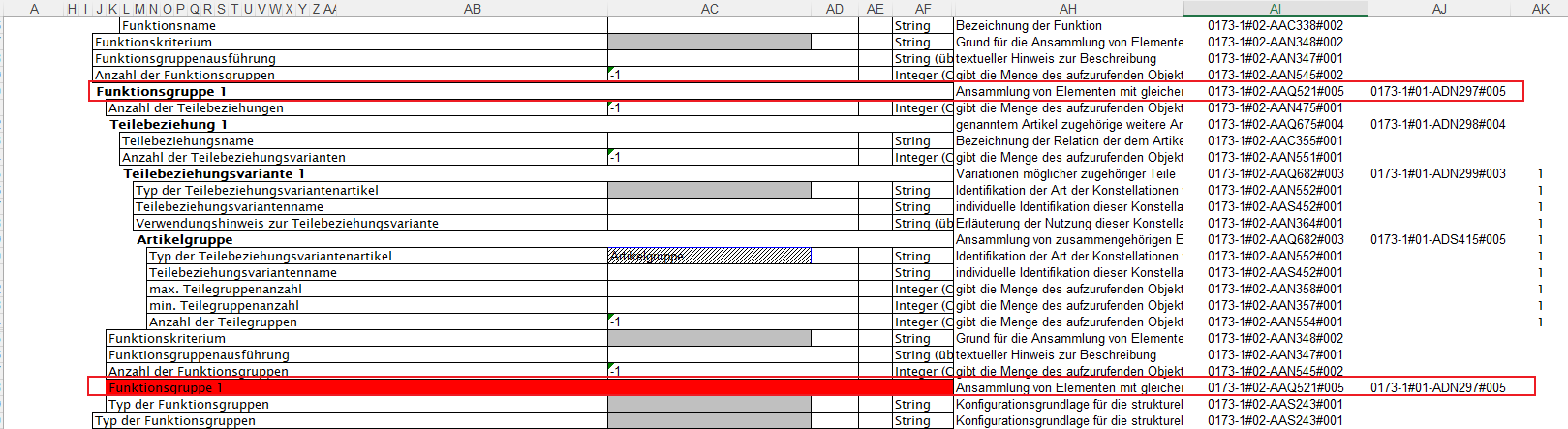
For properties of type reference, if available, BOLD face is used.
No Border is used around reference properties.
Reference properties are looking like headers to group other simple (or other reference) properties.
MB column in Code Section is filled with the identifier of the block that is referenced.

Structure for properties with value list attached
Value column is rendered in gray.

On entering the cell the list is rendered.

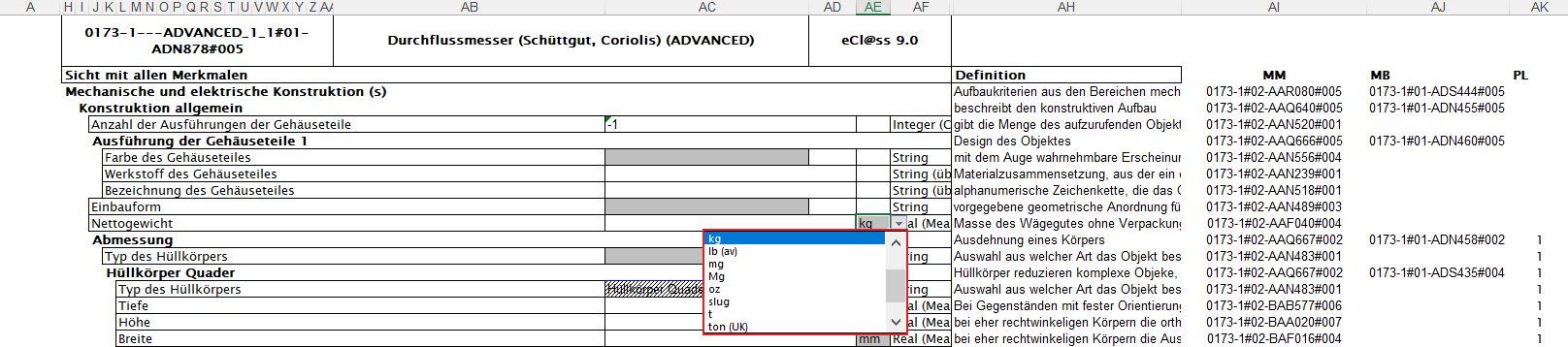
Structure for measure properties
Unit column is rendered in gray.

On entering the cell the list is rendered showing all possible units for the property. Selected is the default unit.
Structure for property having fixed value
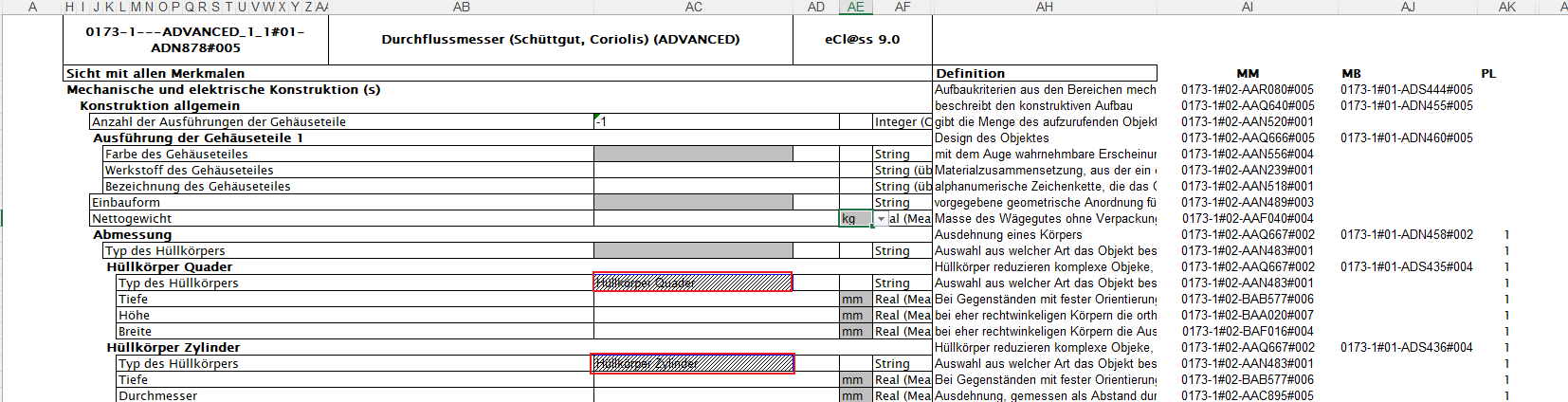
If a class constant value exists for a property in a block, then the fixed value will be rendered as a read-only list (dashed).
Looping properties treatment
When one property is valuated and it is found in the set of its part-of ancestors then second occurrence of the property will be marked in RED and the sub-tree below will not be displayed anymore.
Code Section
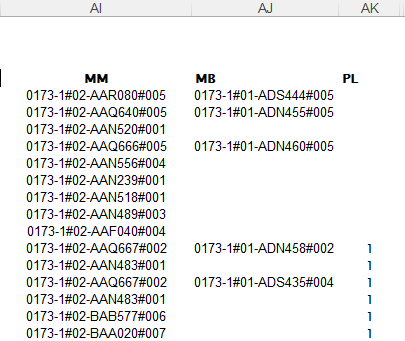
Column MM contains the ID of the property.
Column MB contains the ID of the class.
Column PL contains the polymorphism level. From the root, the first time a polymorphism is found the PL is initialized to 1. Next polymorphism reached will have PL = 2.
Example
+/- buttons can be used to open the structure